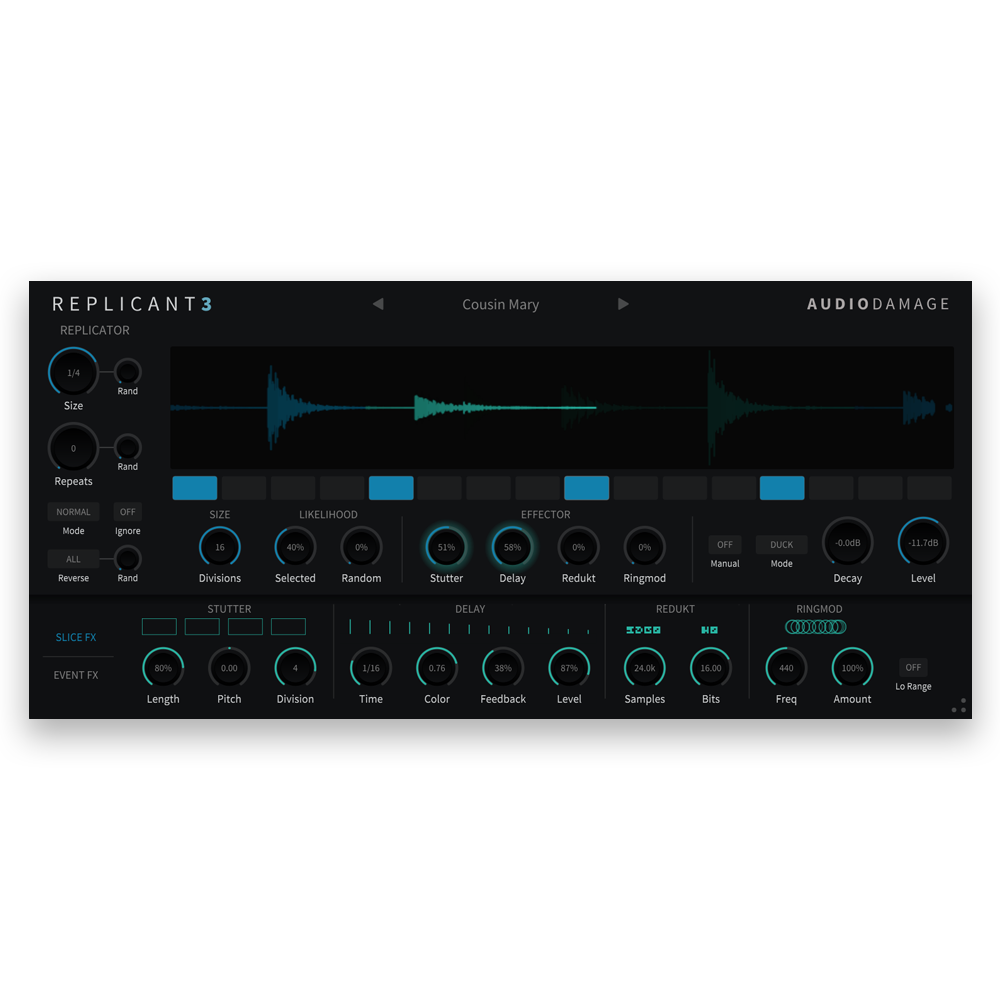
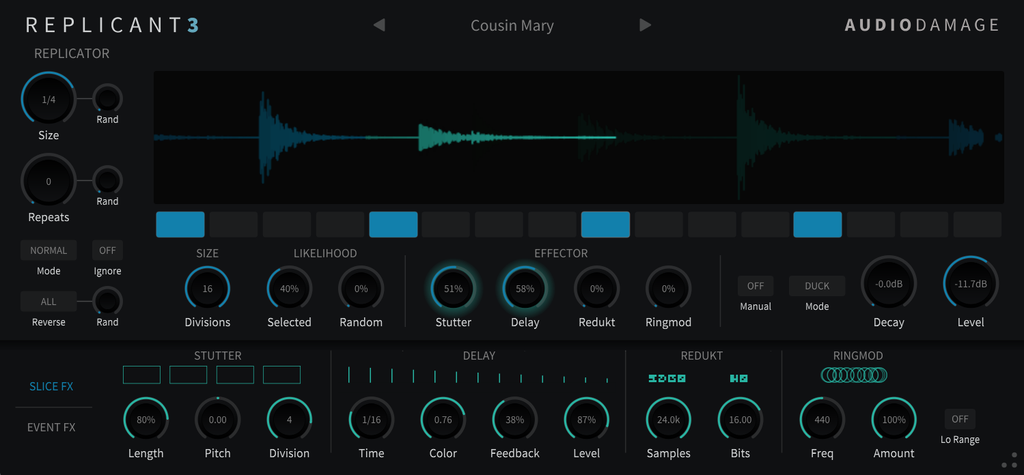
Replicant 3 is a beat-slicing and stutter plugin by Audio Damage for macOS, Windows, Linux, and iOS, and the third generation of Replicant, first released in 2007 and one of the original FSU effects. A trigger sequencer divides each measure into three to sixteen slices. When a slice fires, Replicant captures the incoming audio and repeats it, anywhere from a 1/128 note to a full measure, up to 15 times, forwards or backwards. Four slice effects, Stutter, Delay, Redukt, and Ringmod, each take their own chance on every repeat, while an auto-panner, an attack-hold-release envelope, and sweeping low-pass and high-pass filters shape the whole event. Randomize the slice size, the repeat count, the direction, and which slices fire, and the same drum loop never plays the same way twice. Play it live from eight on-screen trigger buttons or from MIDI notes. Available as VST3, AU, AAX, and CLAP for desktop, and AUv3 for iPad. Priced at $39 USD with no DRM, no subscription, and a perpetual license.
Platforms & Downloads
Fully functional demo. 20-minute session timer, save disabled.
Documentation
Replicant 3 Owner's Manual
PDF · 736 KB · English
Features
-
Trigger sequencer. Divide each measure into anywhere from three to sixteen slices, each with its own trigger switch, so patterns fit 4/4, waltz time, and odd meters alike. Two Likelihood knobs set the chance that switched-on slices fire and the chance that any slice fires at random.
-
Replicator. Slice sizes from a 1/128 note to a full measure, with dotted lengths and tuplets from triplets to nonuplets, and from 0 to 15 repeats, each with its own randomization. The Ignore switch decides whether a new trigger interrupts the current repeats or is skipped. A direction Rand knob sets the odds that a slice plays backwards, and with Scatter on the direction can flip on every repetition.
-
Stutter. Subdivides the repeated slice by 2 up to 128 for rolls, buzzes, and pitched tones, with a Length gate and a Pitch control that bends each repetition up or down.
-
Delay. A tempo-synced delay from a 1/64 to a 1/2 note, including dotted and triplet values, with a Color control that tilts the echoes darker or brighter, plus Feedback and Level.
-
Redukt. Sample-rate reduction from 24 kHz down to 100 Hz and bit-depth reduction from 24 bits down to 1, for crunchy lo-fi slices.
-
Ringmod. Ring modulation from a fixed oscillator, with Frequency and Amount, for metallic, clangorous repeats.
-
Effector. Four probability knobs set how likely each slice effect is to kick in on any repeat, from never to every time.
-
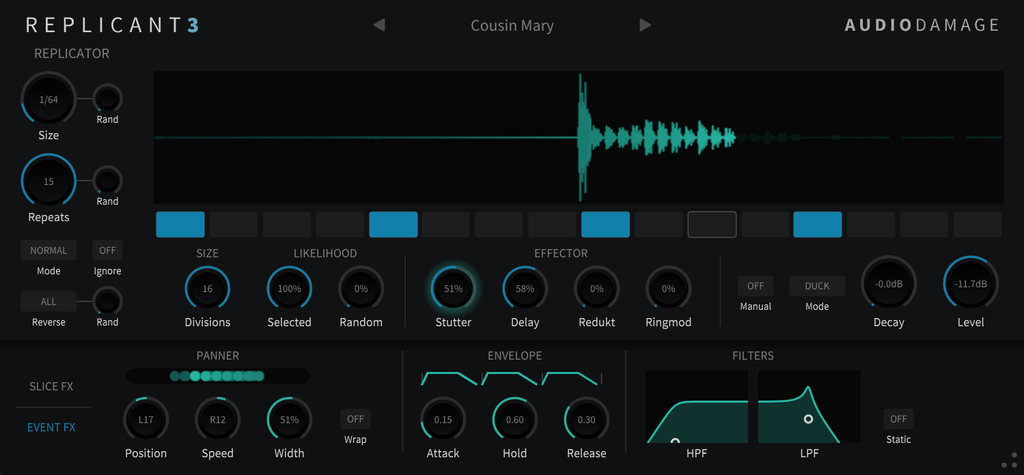
Auto-panner. Moves the repeats across the stereo field with Position, Speed, and Width, bouncing off the sides or wrapping around to the other one.
-
Slice envelope. Attack, Hold, and Release, set relative to the slice length, smooth hard edges, add fades, or crossfade the repeats of sustained sounds like pads.
-
Filters. Two-pole low-pass (40 Hz to 18 kHz) and high-pass (10 Hz to 10 kHz) filters with resonance, either fixed or sweeping from fully open on the first repeat to your settings by the last.
-
Output. Effect Level from -40 to +6 dB, Decay of up to 6 dB per repeat for delay-style fades, and Mix, Duck, and Send modes for insert or send use. Works in mono, mono-to-stereo, and stereo.
-
Manual and MIDI triggering. Eight on-screen trigger buttons, or MIDI notes 60 to 72 (C3 to C4), fire slices from a full measure down to a 1/128 note and keep them repeating for as long as you hold them.
-
Waveform display. A measure of audio is drawn across the top of the window, with processed slices in their own color, so you can see what Replicant is doing as it does it.
-
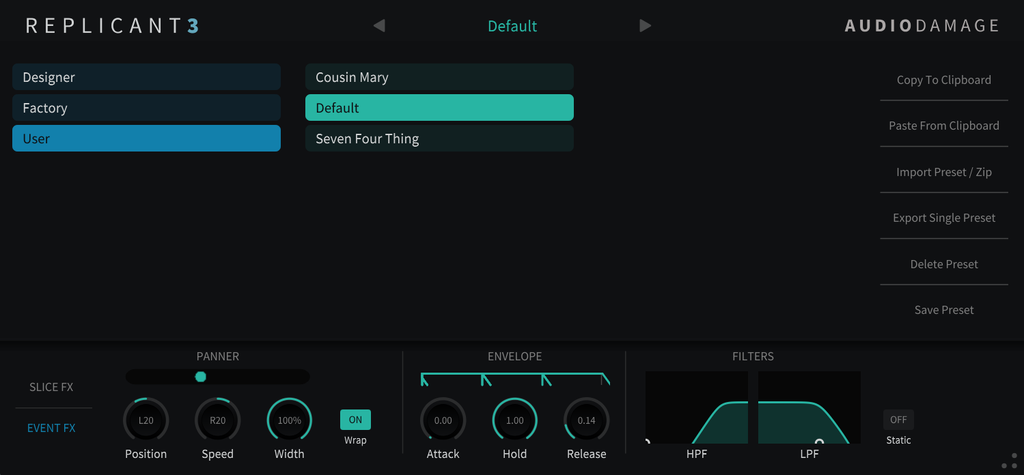
Preset browser. Folders and favorites, copy and paste, import and export of single presets or whole folders as ZIP files, 35 factory presets, and 22 designer presets by Proem.
-
Universal preset system. Cross-platform XML-based presets compatible across all plugin formats and operating systems, including the iOS edition. Save over the Default preset to start every new instance from your own settings.
-
Resizable vector UI. HiDPI and Retina aware, scales cleanly from a laptop panel to a large display, and new instances open at the size you last used.
Sound Design Ideas
Switch on a few slices in the back half of the bar, set the size to 1/16 with three or four repeats, and add a little Repeats Rand for drum fills that never land the same way twice. Set the sequencer to five or seven slices against a 4/4 groove for stutters that drift across the beat. Turn up the Stutter Effector with a high Division and some Pitch for rolls that climb or dive. Let Redukt and Ringmod fire on a third of the repeats for crunchy, metallic accents on a vocal. Give a pad matching Attack and Release settings so the repeats crossfade into a held texture, and leave Static off so the filters close in as the repeats go on. Put Replicant on a send in Send mode and run the whole mix through it for breakdowns, or play slices live from the trigger buttons or a MIDI keyboard.
Frequently Asked Questions
What is Replicant 3?
Replicant 3 is a tempo-synced beat-slicing and stutter effect. A trigger sequencer picks moments in each measure, and Replicant captures and repeats the audio at those moments, with randomized size, repeat count, and direction, four slice effects (Stutter, Delay, Redukt, and Ringmod), an auto-panner, an envelope, and sweeping filters. It turns drum loops, vocals, and full mixes into glitches, stutters, and fills.
How is Replicant 3 different from Replicant 2?
Replicant 3 is a ground-up rewrite. Earlier versions always cut the measure into sixteen slices; version 3 divides it into three to sixteen and adds dotted and tuplet slice sizes, so it works in odd meters. It also adds the attack-hold-release slice envelope, the Delay and Ringmod effects, sample-rate reduction alongside bit-depth reduction in Redukt, new virtual-analog filters, a waveform display, and a new interface. Twenty of Replicant 2's factory presets are included.
Can I trigger Replicant 3 live?
Yes. Turn on Manual and eight trigger buttons replace the sequencer switches. Each fires a slice of a fixed size, from a full measure down to a 1/128 note, and repeats it for as long as you hold it. MIDI notes 60 to 72 (C3 to C4) do the same from a keyboard, a controller, or a DAW clip, with the direction and effect probabilities still applied.
Does Replicant 3 work on iPad?
Yes. Replicant 3 is available for iPad as an AUv3 plugin for iOS 12 or later, sold separately on the App Store, and its presets are compatible with the desktop versions. It is an iPad-only app.
Does Replicant 3 work on Linux?
Yes. Replicant 3 is available as CLAP, VST3, and LV2 for Ubuntu 20 and later. macOS, iOS, and Windows builds are also available. All Audio Damage plugins are released for Linux alongside macOS, iOS, and Windows.
What plugin formats does Replicant 3 support?
CLAP, VST3, and AAX on Windows 10 or newer. CLAP, VST3, AAX, and AudioUnit on Intel and Apple Silicon macOS 10.13 or newer. CLAP, VST3, and LV2 on Ubuntu 20 or later. AUv3 on iPad with iOS 12 or later, sold separately on the App Store. All desktop builds are 64-bit.
Can I save my own starting point?
Yes. Save over the Default preset in the User folder, and every new instance of Replicant 3 starts from your settings.
Does Replicant 3 use copy protection, require a subscription, or need iLok?
No. Like all Audio Damage products, Replicant 3 uses no copy protection of any kind. You can install your purchase on every machine you own. It is a perpetual license, not a subscription, and there is no online activation requirement after install.